
Long Exposure Photography: Settings, ND Filters and Shutter Speeds

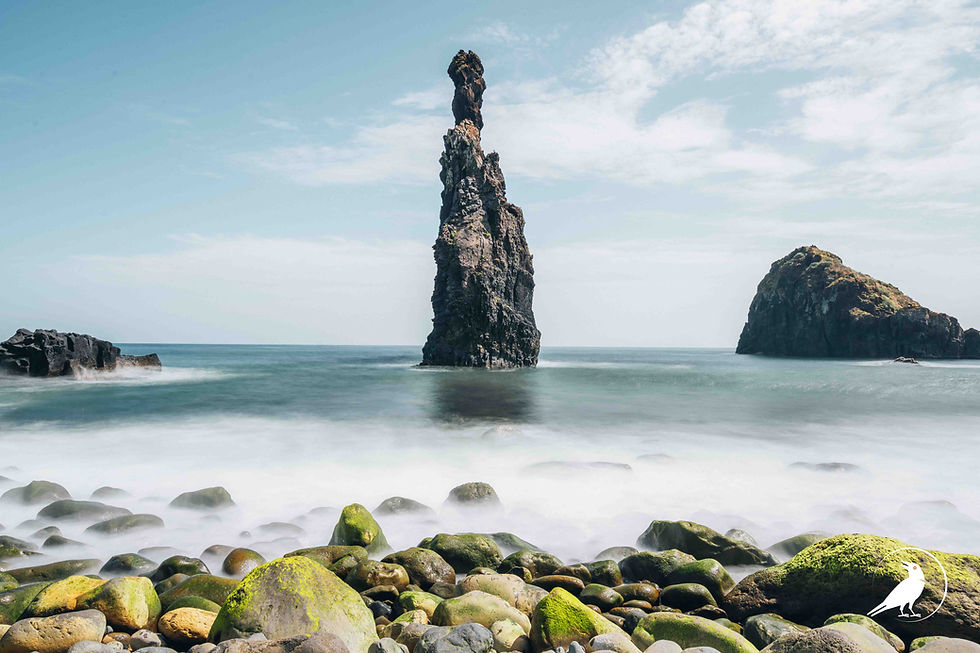
Long exposure photography means keeping the shutter open long enough that anything moving turns into a smooth blur while everything still stays sharp. Put your camera on a tripod, set your aperture around f/8 to f/11 for full depth, and choose the shutter speed by subject: about 1/4 to 1 second for waterfalls, depending on how much water they hold, 1/2 second for waves and rivers, 30 seconds and longer for a glass-smooth sea and for clouds. In daylight you will need an ND filter to get there.
Key Takeaways
Use a tripod and set your aperture to around f/8 to f/11. The shutter speed is the creative setting and therefore your main priority, which you will adjust manually: it decides how much the moving parts blur.
Starting shutter speeds: waterfalls and rivers 1/4 to 1 s, waves 1/2 to 2 s, smooth sea and clouds 30 s or more, car light trails 10 to 30 s.
A 10-stop ND filter (ND1000) multiplies your exposure time by about 1,000. A daylight exposure of 1/60 s becomes about 17 seconds.
Compose and focus before you screw on a strong ND filter. Through a 10-stop filter, autofocus and the viewfinder are almost useless.
Longer is not always better. Water exposed for 10 seconds or more loses its texture and turns into fog. For most waterfalls, under 1 second looks best, depending on the amount of water.
What You Need
A stable tripod is the only thing you cannot skip. Even a one-second exposure shows every tiny vibration. Add a remote release or use the camera's 2-second self-timer so pressing the shutter doesn't shake the camera.
For daylight long exposures you need ND (neutral density) filters. They work like sunglasses for your lens and cut the light without changing the colours. Three strengths cover almost everything: a 3-stop ND8 for waterfalls, a 6-stop ND64 for rivers and waves, and a 10-stop ND1000 for clouds and smooth seas. A circular polariser also cuts about 1.5 to 2 stops and removes reflections from wet rocks, which is often all you need at a waterfall.
Step 1: Choose the Shutter Speed by Subject
Every subject has a range where it looks best. Too short and the water looks frozen and busy. Too long and it loses all structure. These are the starting values we use. Take a test shot, look at the result, and adjust by one step either way.
Subject | Shutter speed | What it looks like |
|---|---|---|
Waterfall | 1/4 – 1 s | Silky lines with visible structure |
River or stream | 1/2 – 2 s | Smooth flow around rocks |
Waves on a rocky shore | 1/2 – 2 s | Streaks of white water running back between the rocks |
Calm sea or lake | 30 s – 2 min | Glass-smooth, misty surface |
Moving clouds | 30 s – 2 min | Streaks across the sky |
Car light trails | 10 – 30 s | Continuous lines of red and white light |
Crowds at a landmark | 30 s - 2 min | Walking people disappear completely |
The contrarian point here: most beginners go too long on water. A 15-second waterfall looks like dry ice. Start at 1/2 second and only go longer if the result still looks too busy.

Step 2: Set Up and Focus Before the Filter
The order matters. Do everything you can see first, then add the filter. Mount the camera on the tripod, compose, and focus. Autofocus is fine here, as long as you switch the lens to manual focus afterwards so it doesn't try to refocus once the filter is on. Turn off image stabilisation. On a tripod it can cause blur instead of preventing it.
Now take a normal test shot without the filter, in manual mode at ISO 100 and f/8 to f/11. Adjust the shutter speed until the histogram looks right. Note that shutter speed. It is your base exposure for the calculation in the next step.
Only then screw on the ND filter, carefully, without touching the focus ring or moving the tripod.
Step 3: Calculate the Exposure With an ND Filter
Each stop doubles the exposure time. A 3-stop filter multiplies it by 8, a 6-stop by 64, a 10-stop by 1,024. You don't need to do the maths in the field. Use this table, or a free ND calculator app on your phone.
Base exposure (no filter) | ND8 (3 stops) | ND64 (6 stops) | ND1000 (10 stops) |
|---|---|---|---|
1/125 s (bright sun) | 1/15 s | 1/2 s | 8 s |
1/60 s (light cloud) | 1/8 s | 1 s | 17 s |
1/15 s (shade, forest) | 1/2 s | 4 s | about 1 min |
1/4 s (dusk) | 2 s | 16 s | about 4 min |
For anything over 30 seconds, switch to Bulb mode and use a remote release with a lock or the camera's built-in bulb timer. Check the histogram after the first shot. Strong ND filters often need a little more time than the calculation says, so add 10 to 20 percent if the image looks dark.
1/125 s 1/30 s 1 s
Step 4: Avoid the Typical Long Exposure Problems
Colour casts
Cheaper 10-stop filters often add a blue, magenta or brown cast. Shoot RAW and set a custom white balance from a test shot, or correct it later. If you shoot with the same filter often, note the correction once and apply it to every image.
Noise and hot pixels
Very long exposures create hot pixels, small bright dots. Long-exposure noise reduction removes them, but it doubles the waiting time: a 2-minute exposure blocks the camera for 4 minutes. For exposures under 30 seconds, leave it off. For multi-minute clouds, turn it on and be patient.
Wind
Wind is the hidden enemy. A tripod with the centre column extended will shake. Keep the column down, spread the legs wide, and hang your bag from the hook. At the coast, wait for a lull and stand between the wind and the camera.
Step 5: Compose Around What Moves and What Stays
A long exposure works when something sharp holds the frame together. A blurred sea with nothing else is just grey. Put a solid anchor in the frame: a rock, a pier, a tree on the shore, a bridge. The contrast between the sharp, still element and the soft, moving one is what makes the image.
Use the direction of the movement. Water flowing towards the camera or clouds moving towards you create depth. Clouds moving across the frame create speed. Check the cloud direction before a 2-minute exposure, so you know which way the streaks will go.
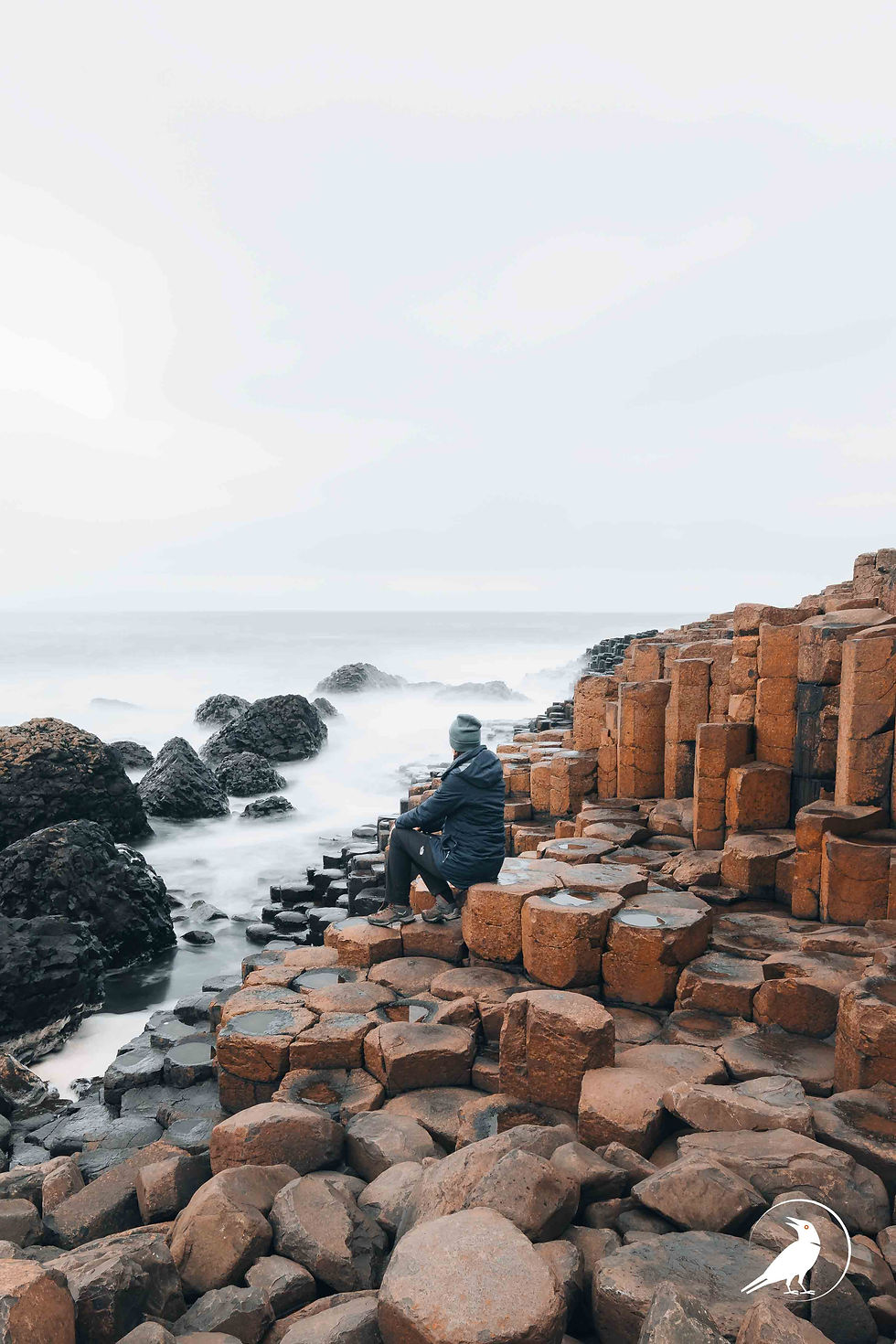
On the coast, the best moment is when a wave pulls back. Start the exposure as the water runs back between the rocks. The white streaks lead the eye from the foreground into the picture.
Long Exposures Without a Filter: Dusk and Night
You don't always need filters. In the 30 minutes after sunset, the light drops fast enough for 1 to 30 seconds. That is perfect for city lights, light trails and a smooth sea at blue hour.
Moving trains, cars and cable cars also work well. A long exposure with the camera on a tripod keeps the landscape sharp and turns a passing train into a streak of colour.

Common Mistakes in Long Exposure Photography
Too long on water. Ten seconds or more turns a waterfall into fog. Start at 1/30 second.
Focusing after the filter is on. Through a 10-stop filter, autofocus hunts and fails. Focus first, then switch to manual.
Extended centre column. It is the least stable part of any tripod.
Nothing sharp in the frame. Every long exposure needs an anchor.
Ignoring the histogram. Strong ND filters underexpose more than the calculation suggests.
Worked Example: The Verzasca at Lavertezzo
The Verzasca river in Ticino is one of our favourite long exposure spots in Switzerland. The water is clear and green, and the granite boulders make perfect anchors. We go in the late afternoon, just before sunset, when the valley is already in shade and the light is soft.
Setup: tripod on a flat rock, 23 mm, ISO 125, f/10. Test shot without filter: 1/15 s. With the 6-stop ND64, the table gives 4 seconds. The first frame is too foggy, so we switch to the 3-stop ND8 for 1/4 second. That keeps the texture in the water flowing around the boulders, and the polariser on top removes the glare from the wet rock.

FAQ
What settings should I use for long exposure photography?
Use a tripod, manual mode, and set your aperture somewhere around f/8 to f/11. Choose the shutter speed by subject: 1/4 to 1 second for waterfalls, 10 to 30 seconds for light trails.
What ND filter do I need for long exposures?
A 6-stop ND64 covers most water scenes in daylight. Add a 10-stop ND1000 for clouds and smooth seas, and a 3-stop ND8 for waterfalls in shade.
How long should the exposure be for silky water?
Start at 1/2 second. Waterfalls usually look best between 1/4 and 1 second. Longer exposures remove the texture and make the water look like fog.
Can I do long exposures without an ND filter?
Yes, at dusk and at night. In the 30 minutes after sunset you can reach 1 to 30 seconds at ISO 100 and f/11 without any filter.
Why is my long exposure photo blurry?
Usually it is camera shake, not focus. Use a remote or the 2-second timer, turn off image stabilisation, keep the tripod's centre column down and shield the camera from wind.
Learn It on Location
Knowing the numbers is one part. Knowing which rock to stand on at Lavertezzo or when the waves pull back on a rocky coast is the other. Our Skill Builder video courses show you the exact spot, settings and filter for each location, so you can practise long exposures on your own trip.
Coming Soon!
This article was written with the help of AI. The content has been editorially refined and verified. The photos on this website were all taken by a person and were not generated by AI.


Comments